How to Use Google Posts: Complete 2026 Guide
Master Google Posts on your Google Business Profile. Boost local SEO, engage customers, and drive traffic with this complete 2026 guide.

What Are Google Posts?
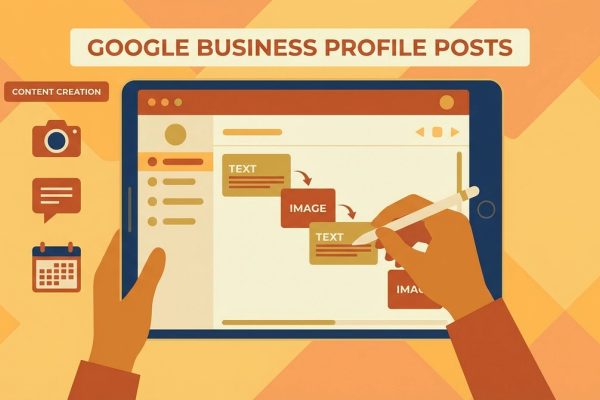
Google Posts is a feature on Google Business Profile (GBP) that allows businesses to share short text, photos, and links to interact directly with customers. This feature provides an effective way for businesses to promote their announcements, events, products, and services.
Google Posts appear alongside your business information in search results. This means potential customers can easily access your latest news and promotions. For example, if you own a restaurant, you can use this feature to announce your weekly menu or a special event. This can attract customer attention and drive them to your location.
Benefits of Google Posts
Google Posts can improve your business's local SEO performance. Gaining more visibility in search results can increase customer engagement and conversion rates. Here are some key benefits of Google Posts:
- ▸
Increased Visibility: Google Posts help your business appear more prominently in search results, increasing the likelihood that potential customers will find you.
- ▸
Higher Engagement: Direct communication with customers can capture their attention. Special offers or announcements can motivate customers to take action.
- ▸
SEO Contribution: Strategically and regularly used Google Posts can become part of your local SEO strategy, positively affecting your search engine rankings.
How to Create Google Posts
Creating Google Posts is straightforward and can be completed in a few steps:
- ▸
Sign In to Your Google Business Profile: First, sign in to your Google Business Profile. After logging in, click on the "Posts" tab in the left menu.
- ▸
Create a New Post: Once in the Posts tab, click the "Create Post" button. Here, you can select the type of content you want to share. Options include announcements, events, offers, or products.
- ▸
Add Your Content: Be thoughtful when creating your content. You can add a title, description, images, and links. Using an eye-catching headline and a high-quality image will help your post get more attention.
- ▸
Publish: After completing your content, click the "Publish" button to share your post. Your post will appear on your business profile and in search results.
Best Practices for Google Posts
To use Google Posts effectively, consider developing these strategies:
- ▸
Post Regularly: Increase the impact of Google Posts by sharing content consistently. Weekly or monthly updates help you stay in constant communication with your customers.
- ▸
Keep It Short and Clear: Use concise language in your posts. Give a clear and understandable message to capture your customers' attention.
- ▸
Use Visuals: Visuals make your posts more effective. Choose high-quality, eye-catching images. For example, sharing photos of a store's newly arrived products can attract customer interest.
Strengthen Local SEO with Google Posts
Local SEO is vitally important for attracting more customers in your area. Google Posts can be an ideal tool for strengthening this strategy. Here are tips on how to boost your local SEO with Google Posts:
- ▸
Use Keywords: Include relevant keywords in your posts. This helps search engines learn more about your business and improve your rankings.
- ▸
Announce Local Events: Promoting events or campaigns in your area is an effective way to reach local customers. For example, if you own a coffee shop, you could promote a special drink you are offering at a local festival.
- ▸
Encourage Customer Reviews: You can use Google Posts to ask customers to leave reviews. Positive reviews increase your business's credibility and make it easier to reach new customers.
Conclusion
Google Posts is a powerful tool for increasing your business's visibility and engaging with your customers. By making regular and strategic posts, you can strengthen your local SEO performance and expand your customer base. Start using Google Posts effectively to transform your business dynamics and claim more space in the digital world.
Take Action!
Are you ready to boost your business's local SEO performance with Google Posts? Sign in to your Google Business Profile and start making your first post to reach more customers! Remember, standing out in the digital world comes through effective communication. Take action today!
Author
ajanslokal Team
We create content about digital marketing strategies and solutions for local businesses.
Interested in this service?
Stand out on Google. Manage your business with professional tools.
Learn MoreGrow Your Business in the Digital World
Be more visible on Google, win more customers. Get your free digital presence audit now!
Get Free Audit