How to Fix Your Business Location on Google Maps
Step-by-step guide to correcting your business location on Google Maps. Update your address, move your pin, and verify.
Google Maps is a powerful tool for increasing your business's online presence and reaching potential customers. However, if your business location is incorrect, it can make it difficult for customers to find you. In this guide, we will walk you through how to fix your business location on Google Maps step by step.
Use Your Google Business Profile Correctly
Google Business Profile (GBP) is the primary tool used to increase your business's visibility on Google Maps. Having accurate and up-to-date information on your business profile is critical for potential customers to find you easily.
First, sign in to your Google Business Profile and review your business information. Make sure details like your address, phone number, and business hours are correct. If you haven't created a profile yet, you can create a new one using the "Add Your Business" option. This step is the starting point for ensuring your location is correctly listed on Google Maps.
After confirming all the information on your business profile is accurate, check your location. Verify whether the marked location on the map is correct. If the location is wrong, you can fix it by following the steps below.
How to Fix Your Location on Google Maps
Fixing your business location on Google Maps requires following a few simple steps. Here they are:
Step 1: Sign In to Your Google Business Profile
First, sign in to your Google Business Profile. After signing in, click the "Info" tab in the left menu. In this section, you can view and edit all of your business information.
Step 2: Update Your Address Information
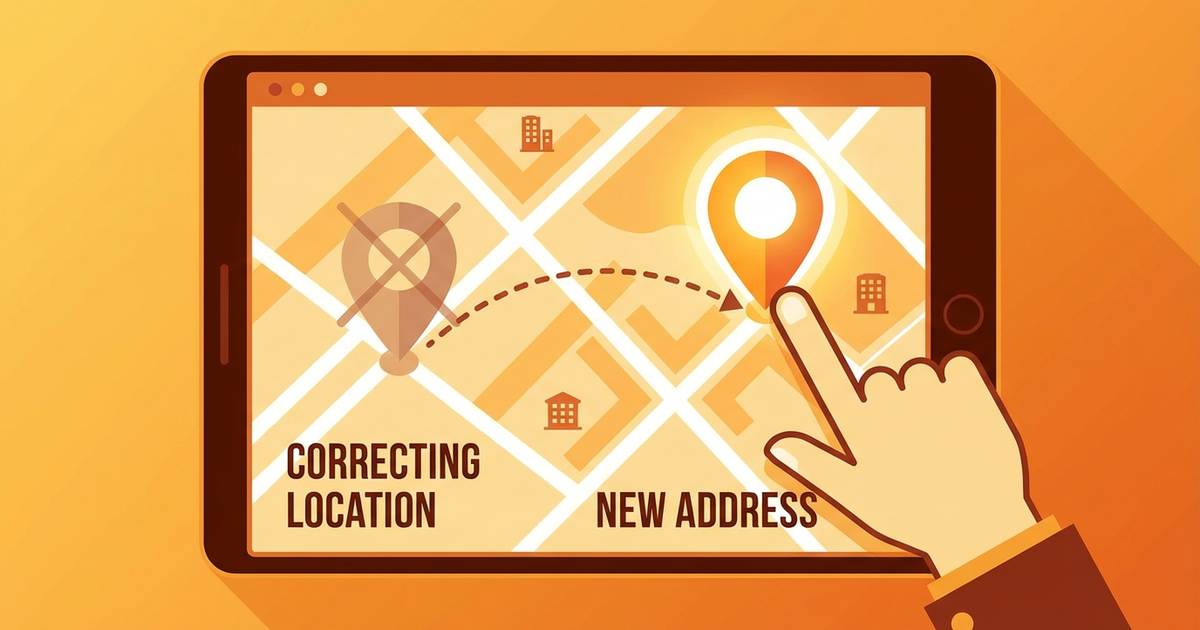
In the "Info" tab, you will find the option to edit your business address. Click on the address section and enter your correct address information. If you think your business is not marked at the correct location on the map, you can drag the location pin to the right position.
Step 3: Verify Your Location
After updating your address and location information, Google may ask you to verify this information. The verification process is usually done by mail and may take a few days. Google sends a verification code to your address, and you can verify your location by entering this code in your profile.
Extra Tips for Businesses
Here are some special tips for businesses looking to improve their location accuracy on Google Maps:
Use Local Language
When creating your profile, use descriptions and keywords in the local language of your target market. This makes it easier for local customers to find you. For example, use locally relevant terms that your customers are likely to search for.
Leverage Local Directories
There are many local guides and business directories available. By ensuring your business is listed on these platforms, you can strengthen your position on Google Maps. Register on relevant local listing platforms to boost your local presence.
Use Customer Reviews and Photos
Customer reviews and photos increase the credibility of your Google Business Profile. Ask your customers to leave reviews about your business and upload photos. This helps your business appear more professional and provides useful information for other users.
Respond to Reviews
Respond to every review professionally. Thank positive reviews and address negative ones with solution-oriented responses. This demonstrates that you engage with customers and value their feedback.
Pay Attention to Photo Quality
Regularly update high-quality photos of your business's interior and exterior. Photos reflect your business's identity and attract the attention of potential customers.
Increase Your Visibility on Google Maps
You can use SEO (Search Engine Optimization) techniques to increase your business's visibility on Google Maps. Here are some practical tips:
Keyword Usage
Use relevant keywords in your business description and services section. These keywords will help your business rank higher in Google searches.
Regular Updates
Regularly check and update your business profile and map location. Whenever any changes occur, immediately update your profile to provide accurate information to your customers.
Conclusion
Having the correct business location on Google Maps improves the customer experience and supports your business's online success. By following these steps, you can easily fix your business location and increase customer traffic.
If you haven't fixed your business location on Google Maps yet, now is the time to take action! Start updating your Google Business Profile today to ensure your business attracts more customers and is represented with accurate information. Remember, correct positioning is an important step on the road to success!
Author
ajanslokal Team
We create content about digital marketing strategies and solutions for local businesses.
Interested in this service?
Stand out on Google. Manage your business with professional tools.
Learn MoreGrow Your Business in the Digital World
Be more visible on Google, win more customers. Get your free digital presence audit now!
Get Free Audit