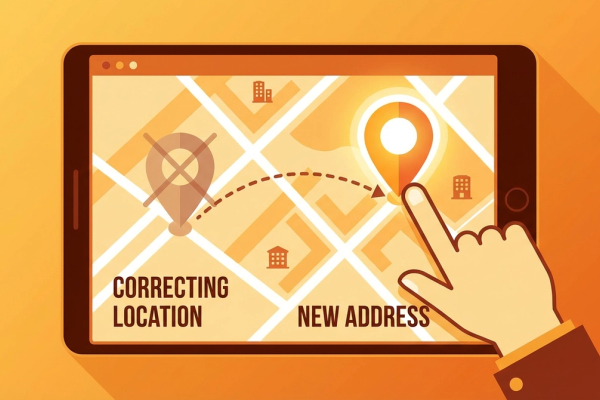
How to Update Your Business Information on Google: 2026 Practical Guide
A practical 2026 guide to updating your Google Business Profile. Steps for editing address, hours, photos, and services.

In today's world, having a digital presence for your business is of vital importance. Google Business Profile (GBP) is one of the most effective ways to increase your business's online visibility. In this guide, we explain step by step how to update the information on your Google Business Profile in 2026.
What Is Google Business Profile?
Google Business Profile is a free tool that allows your business to appear in Google searches and on Maps. In addition to basic information such as your business name, address, phone number, and business hours, it can also contain additional content like customer reviews and photos. This profile not only provides potential customers with quick and accurate information about your business but also offers a significant advantage in terms of local SEO (Search Engine Optimization).
Many businesses have expanded their customer base and become more visible in local searches through Google Business Profile. Especially restaurants, shops, and service sector businesses can increase customer satisfaction by using this profile effectively.
How to Access Your Google Business Profile
To access and update your Google Business Profile, you first need to sign in to your Google business account. After signing in, you can reach the control panel and make the necessary updates.
Step 1: Sign In to Your Google Account
To access your Google Business Profile, you first need to have a Google account. If you don't already have one, you will need to create a new account. After signing in to your Google account, go to the "My Business Profile" page.
Step 2: Select Your Business
After accessing your Google Business Profile, you will see a screen listing your existing businesses. From here, you can select the business whose information you want to update. If you think your business is not listed here, you may need to add your business.
Updating Business Information
Having your business information current and accurate is of critical importance for customer satisfaction and your SEO performance. Here are some points to pay attention to when updating your business information:
Step 3: Update Your Business Information
To update the information on your Google Business Profile, click on the "Info" tab in the control panel. Here you can edit basic information such as your business name, address, phone number, and business hours. Changes in your business hours are particularly important for customers to reach you.
Step 4: Add Photos and Videos
Visual content is one of the effective ways to strengthen your business's online presence. By adding high-quality photos and videos of your business, you can offer potential customers a more attractive appearance. For example, if you run a restaurant, you can share photos of delicious dishes from your menu.
Step 5: Enter Service and Product Information
Providing detailed information about the services and products your business offers helps customers quickly find the information they are looking for. By listing your services and products under the correct categories, you can attract user interest and increase your sales.
Responding to Customer Reviews
Customer reviews directly affect your business's online reputation. Therefore, responding to reviews in a timely and professional manner is important. Don't forget to thank positive reviews and provide solution-oriented responses to negative feedback.
Step 6: Manage Reviews
By going to the Reviews tab, you can review and respond to reviews left by your customers. This not only increases customer satisfaction but also strengthens customer loyalty. For example, if a customer has had a negative experience, you can remedy the situation by quickly offering a solution.
Monitor Your Business's Performance
Google Business Profile provides various analytics tools for you to monitor your business's performance. With these tools, you can see how many clicks your business is getting, how it performs in searches, and what information your customers are looking for.
Step 7: Review Analytics Data
The analytics data provided by your Google Business Profile is extremely useful for measuring your business's online success. By regularly reviewing this data, you can optimize your strategies and increase customer engagement.
Conclusion
Regularly updating your Google Business Profile is one of the most important steps in strengthening your online presence. By ensuring your business is listed with accurate and up-to-date information, you can increase customer satisfaction and improve your local SEO performance.
If you need help with your Google Business Profile or want to improve your local SEO strategies, contact us. We would be happy to offer you the most suitable solutions!
Author
ajanslokal Team
We create content about digital marketing strategies and solutions for local businesses.
Interested in this service?
Stand out on Google. Manage your business with professional tools.
Learn MoreGrow Your Business in the Digital World
Be more visible on Google, win more customers. Get your free digital presence audit now!
Get Free Audit