Google Business Profile Quick Start Guide 2026
Get started with Google Business Profile in 2026. A step-by-step guide to set up, verify, and optimize your GBP listing.

What Is Google Business Profile?
Google Business Profile (GBP) is a free tool that helps increase your business's visibility on Google Search and Maps. It allows you to share important information about your business directly with your target audience. Details such as your business hours, address, phone number, and customer reviews become easily accessible through Google.
For local businesses, the importance of Google Business Profile grows every day. Users typically turn to Google Search and Maps to find the services or products they are looking for. Having accurate and up-to-date information about your business in the online space is a critical way to reach potential customers. Google Business Profile shows customers that your business is reliable and professional.
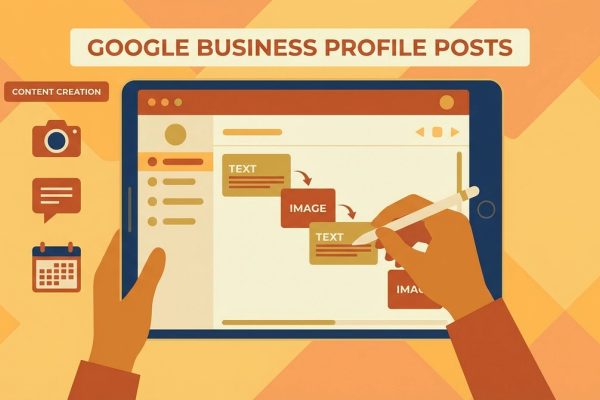
Beyond promoting your business, GBP lets you manage and analyze customer feedback. This allows you to measure your business's performance and improve your services. You can also boost customer engagement by posting announcements about special campaigns and events.
How to Create a Google Business Profile
Creating a Google Business Profile for your business is a straightforward process. First, go to the Google Business Profile website and create an account. When setting up, enter your business name, address, and contact information accurately. Google typically requires a verification process to confirm this information.
The verification process ensures your business is at a real location and that the information you provided is accurate. Usually, Google sends a postcard with a verification code that you enter into your profile to complete verification. The process can vary based on your business size and location, but typically completes within 5-10 business days.
After verification, you can add additional details like a business description, services, products, and photos. This step is extremely important for increasing your online visibility and appeal. A well-structured and detailed profile will help you attract more customers.
How Google Business Profile Affects Local SEO
Google Business Profile is one of the most effective ways to improve your local SEO. Ranking high in local searches makes it easier for potential customers to find you. Local SEO strategies are especially vital for businesses with a physical storefront.
Effective local SEO implementation can help businesses gain a competitive advantage. By optimizing your Google Business Profile, you make it easier for your target audience to reach you. For example, using the right keywords can help your business appear prominently in search engine results.
Customer reviews and ratings are among the factors that directly affect your local SEO. Positive customer reviews boost your business's credibility and increase the likelihood that potential customers will choose you. Therefore, prioritizing customer satisfaction and managing feedback effectively are critical to improving your local SEO.
Google Business Profile Optimization Tips
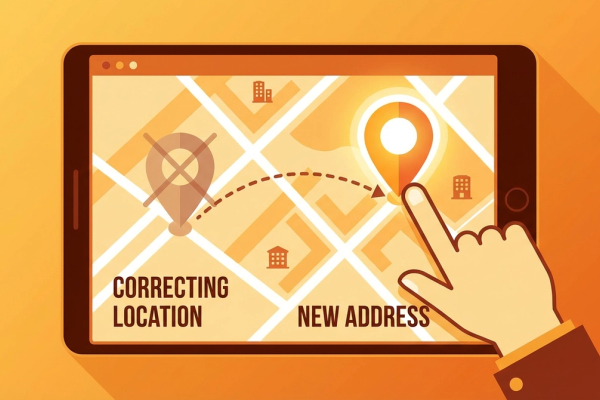
Optimizing your Google Business Profile is an important step in strengthening your online presence. First, keep your business information regularly updated. When there are changes to your business hours, address, or contact numbers, reflect them in your profile immediately.
Pay attention to the quality of photos on your profile. High-resolution, professional-looking photos help your business appear more attractive. Customers can form opinions about your business's quality based on visuals. Ensure your photos are current and represent your business at its best.
Responding regularly to customer reviews is also important. Responding professionally and constructively to every review -- positive or negative -- strengthens your customer relationships and positively impacts your business's reputation. Additionally, including frequently asked questions on your profile provides quick and effective answers to customers.
Tracking and Analysis for Success
After creating your Google Business Profile, you need to track your performance regularly. Google provides various analytics tools to business owners. These tools allow you to learn how customers find your profile, what information they view, and how often they interact with you.
Using analytics data, you can determine which strategies are working and where improvements are needed. For example, if you notice certain products or services are getting more attention, you can focus more on those areas. Similarly, if a particular campaign is not having the expected effect, you can re-evaluate your strategy.
Do not overlook competitor analysis either. By examining your competitors' Google Business Profile strategies, you can gain ideas for improving your own profile. This can help you adopt best practices in your industry and gain a competitive advantage.
Conclusion and Call to Action
Google Business Profile is an effective way to strengthen your business's online presence. For local businesses, GBP offers the opportunity to reach a wider customer base. By following the steps in our guide, you can easily create and optimize your business's digital presence.
Take action now to create and optimize your Google Business Profile! If you want more information and support to boost your business's online success, contact us. Let us grow your success together!
Author
ajanslokal Team
We create content about digital marketing strategies and solutions for local businesses.
Interested in this service?
Stand out on Google. Manage your business with professional tools.
Learn MoreGrow Your Business in the Digital World
Be more visible on Google, win more customers. Get your free digital presence audit now!
Get Free Audit