Google Business Profile Optimization in 10 Minutes (2026)
Optimize your Google Business Profile in just 10 minutes. Quick, actionable tips to boost your local SEO and online visibility in 2026.

Google Business Profile (GBP) is an indispensable tool for local businesses looking to strengthen their online presence. In 2026, the importance of this profile continues to grow. Making your business more visible in Google Search and Google Maps requires profile optimization, and it is now more critical than ever. In this guide, we will show you how to optimize your Google Business Profile in just 10 minutes.
Update Your Google Business Profile
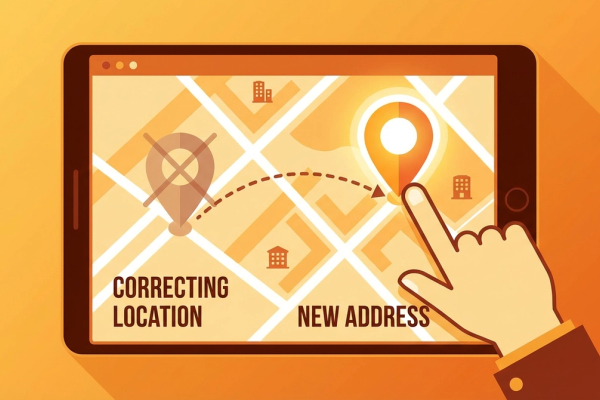
Start by making sure all the information on your Google Business Profile is up to date. Basic details like your business name, address, and phone number (NAP) must be accurate and complete so customers can easily reach you. Accurate information also helps Google rank your business higher in local search results.
Another important point is to regularly update your business hours. Make sure to specify any changes during holidays or special occasions. This ensures customers have the correct information before visiting your business. Additionally, provide detailed information about the services your business offers to build trust with your customers.
Add Photos and Videos
Visuals are one of the best ways to make your profile more appealing. Add high-resolution photos and short videos to give customers a feel for your business atmosphere. Visuals are critical for showing potential customers how professional and trustworthy your business is.
Your profile should include at least a cover photo and your business logo. Adding photos of your products or services is also a good idea. For example, if you run a cafe, you can add photos of popular items from your menu. These visuals attract customer interest and encourage them to visit your business.
Manage Customer Reviews
Customer reviews are one of the most important factors in determining your business's online reputation. Regularly check and respond to reviews on your Google Business Profile. Thanking customers for positive reviews strengthens your relationship with them. For negative reviews, provide constructive and empathetic responses to improve customer satisfaction.
When managing reviews, use a sincere and professional tone. Take customer feedback seriously and use it as an opportunity to improve your business. You can also encourage customers to leave reviews through calls to action on your social media accounts or website.
Choose the Right Profile Categories
Selecting the correct categories for your Google Business Profile ensures your business reaches the right target audience. Choose the primary and secondary categories that best describe your business. For example, if you run a restaurant, you might select "Restaurant" as the main category and add subcategories like "Seafood Restaurant" or "Italian Restaurant."
Incorrect or incomplete category selection can make it harder to reach potential customers. Take the time to identify the categories that best match the services or products your business offers. Careful category selection increases your chances of reaching the right audience.
Use the Q&A Section
The Questions & Answers (Q&A) section on your Google Business Profile can help potential customers learn more about your business. Actively use this section to answer frequently asked questions and address common concerns.
Regularly check the Q&A section and provide quick answers to new questions. This builds customer trust and gives your business a professional image. You can also use frequently asked questions to further optimize your profile and enrich your content.
Track and Measure Your Results
After optimizing your Google Business Profile, remember to analyze the impact of these changes at regular intervals. Use Google Analytics or other SEO tools to evaluate your profile's performance and update your strategies as needed.
Finally, encourage your customers to visit your profile and review your business through social media and email newsletters. A simple call to action like "Find us on Google and share your feedback" can help you get more customer reviews.
Conclusion
Optimizing your Google Business Profile can strengthen your local SEO strategy in just a few minutes. With these tips, you can increase your business's online visibility and reach potential customers more easily. Remember, success in the digital world comes from quick and effective solutions.
Call to Action
Update your Google Business Profile right now to strengthen your business's online presence. Follow the steps above to optimize your profile and take your local SEO strategy to the next level. Contact us for more information and support. Now is the perfect time to make your business more visible on Google!
Author
ajanslokal Team
We create content about digital marketing strategies and solutions for local businesses.
Interested in this service?
Stand out on Google. Manage your business with professional tools.
Learn MoreGrow Your Business in the Digital World
Be more visible on Google, win more customers. Get your free digital presence audit now!
Get Free Audit